
Key Takeaways
The Secret Metric: Dwell Time
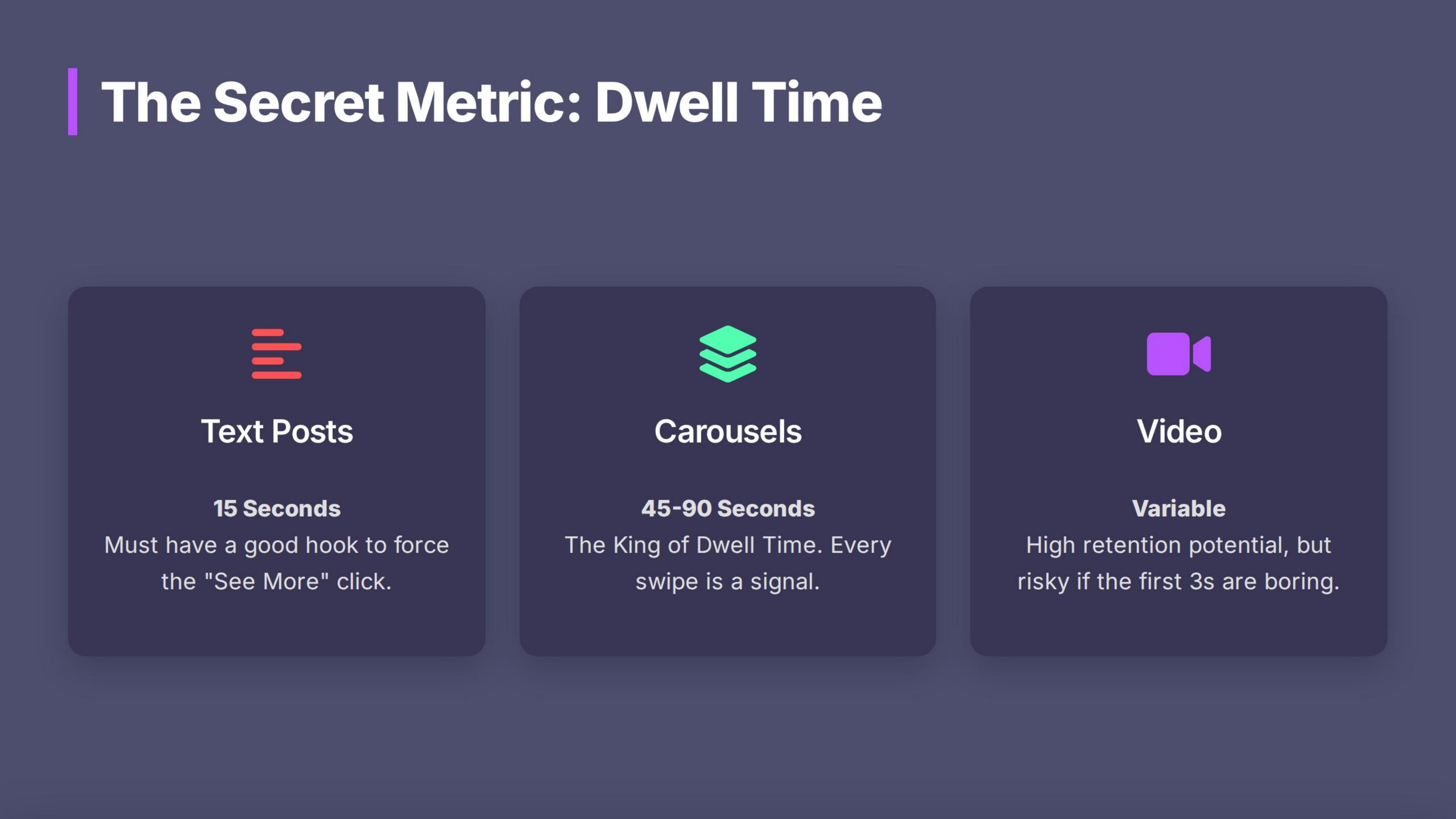
LinkedIn measures **how many seconds** someone spends on your post.
- Text: Long posts work *if* the hook is good, because people have to click "See More."
- Carousels (PDFs): The king of Dwell Time. Every slide a user swipes is a signal to the algorithm that the content is valuable.
- Video: High retention, but risky if the first 3 seconds are boring.
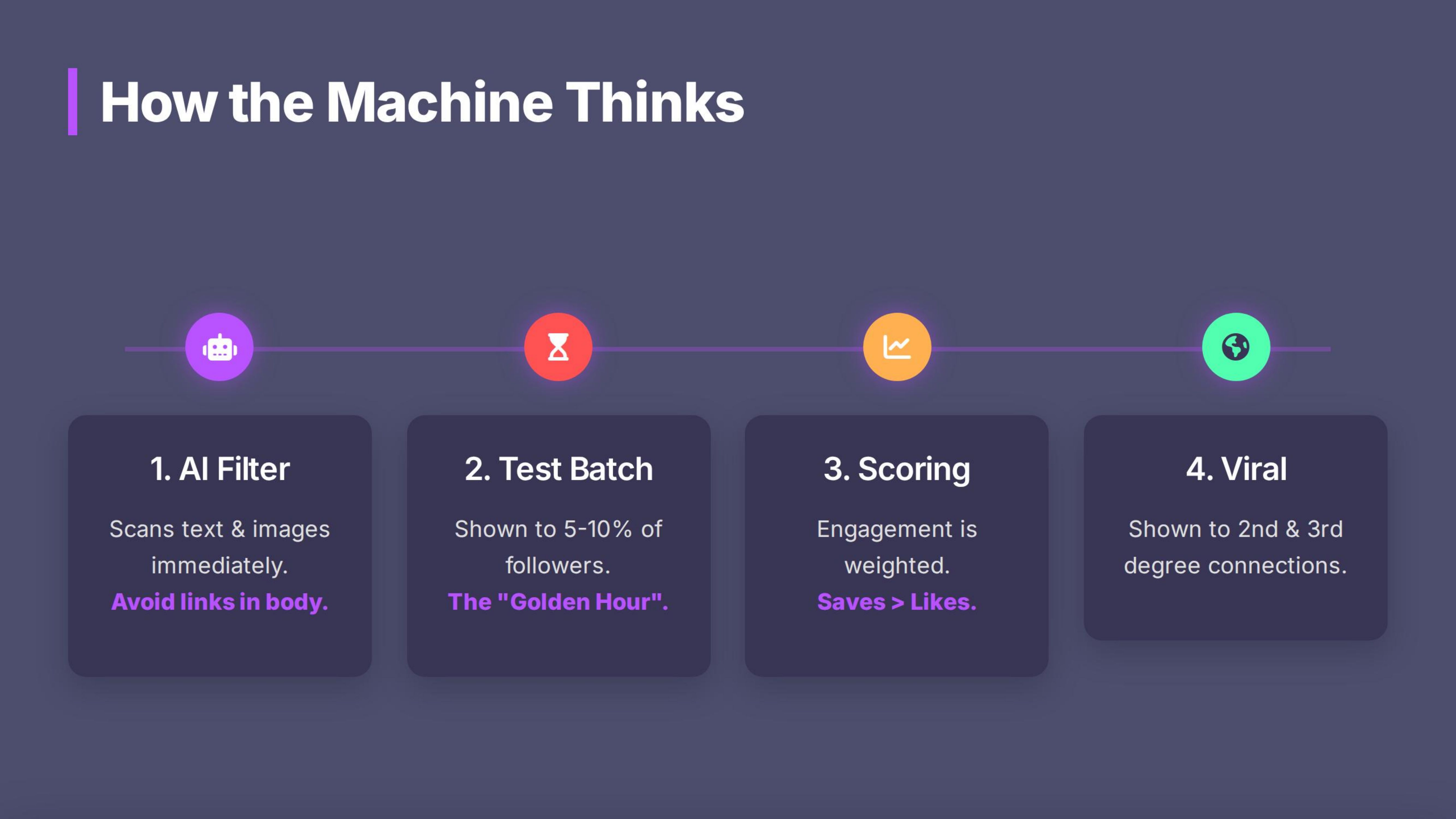
Stage 1: The AI Spam Filter (Immediate)
Within seconds, AI scans your text, image, and history.
The "External Link" Nuance
- The Myth: "Never put links in the post."
- The Reality: The algorithm penalizes links that appear **"Above the Fold"** (in the first few lines). It views this as an immediate attempt to drive traffic away.
- The Safe Zone: Links placed at the very **end** of the post (after the value is delivered) seem to have little to no negative impact on reach.
- Pro Tip: If you are chasing pure virality, "Link in Bio/Comments" is still the safest bet. If you want conversion, a link at the end is acceptable.
Stage 2: The "Golden Hour" Test
If you pass Stage 1, LinkedIn shows your post to a small "test group" of your followers (approx. 5-10%).
- The Mission: You need engagement within the **first 60 minutes**.
- Pass: If the test group engages, the content is pushed to a wider audience.
- Fail: If they scroll past, the post dies.
Stage 3: Engagement Scoring (The Hierarchy of Value)
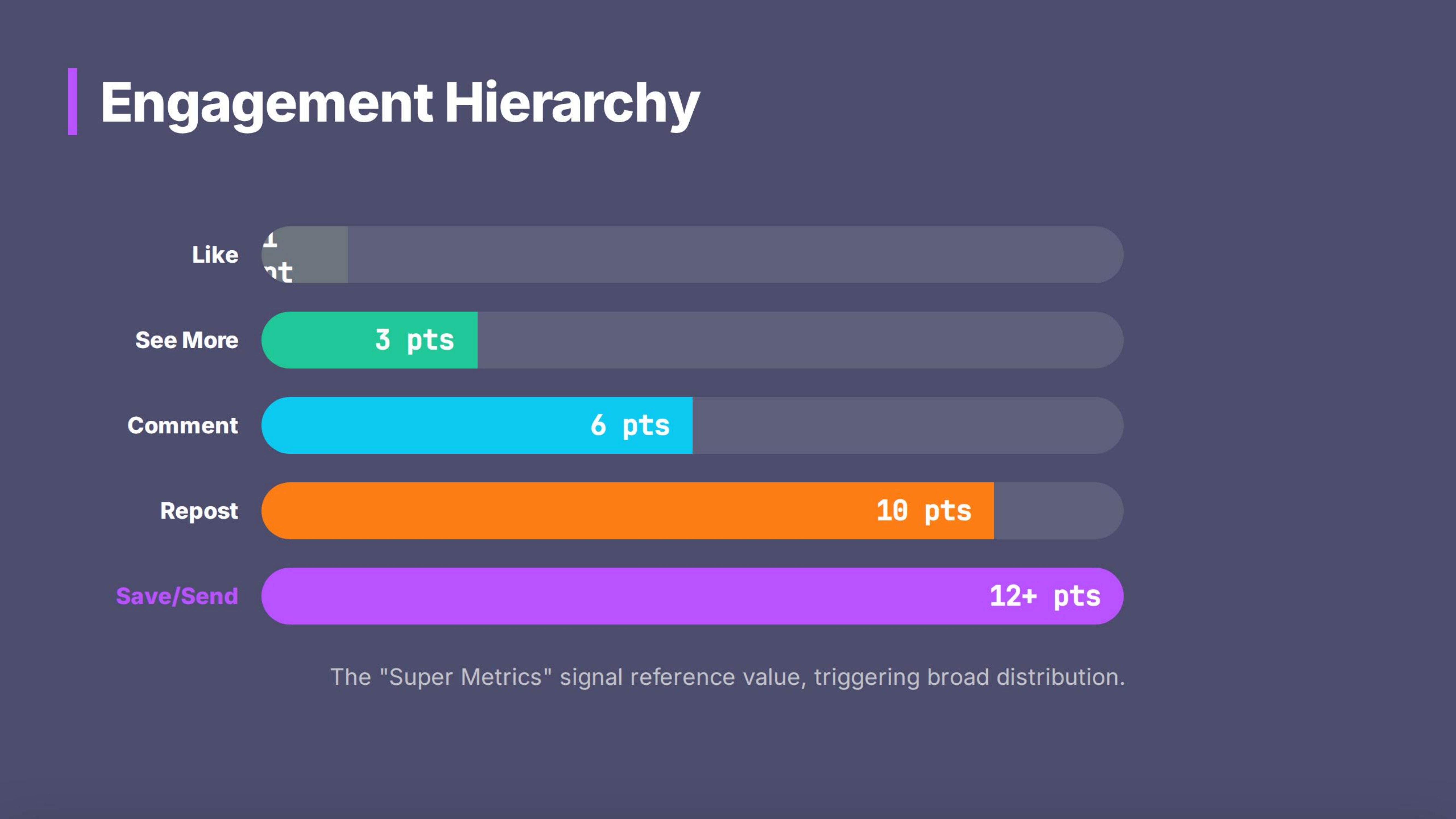
Not all engagement is equal. While the exact code is a secret, we use this **estimated scoring model** to visualize what the algorithm prioritizes:
- 1 Point: Like/Reaction. (Low effort, low signal).
- 3 Points: "See More" Click. (First signal of interest/Dwell Time).
- 6 Points: Comment. (Conversation signal).
- 10 Points: Repost. (Virality signal).
- 12+ Points: Save (Bookmark) & Send (DM).
The "Super Metrics": When someone **Saves** your post, it tells the algorithm: *"This is highly valuable/reference material."* When they **Send** it via DM, it signals: *"This is worth sharing privately."* These are the strongest signals for distribution.
Stage 4: Network Effects (Viral Growth)
If your engagement score is high, LinkedIn shows the post to your *2nd and 3rd-degree network* (people who don't follow you). This is where you go viral.
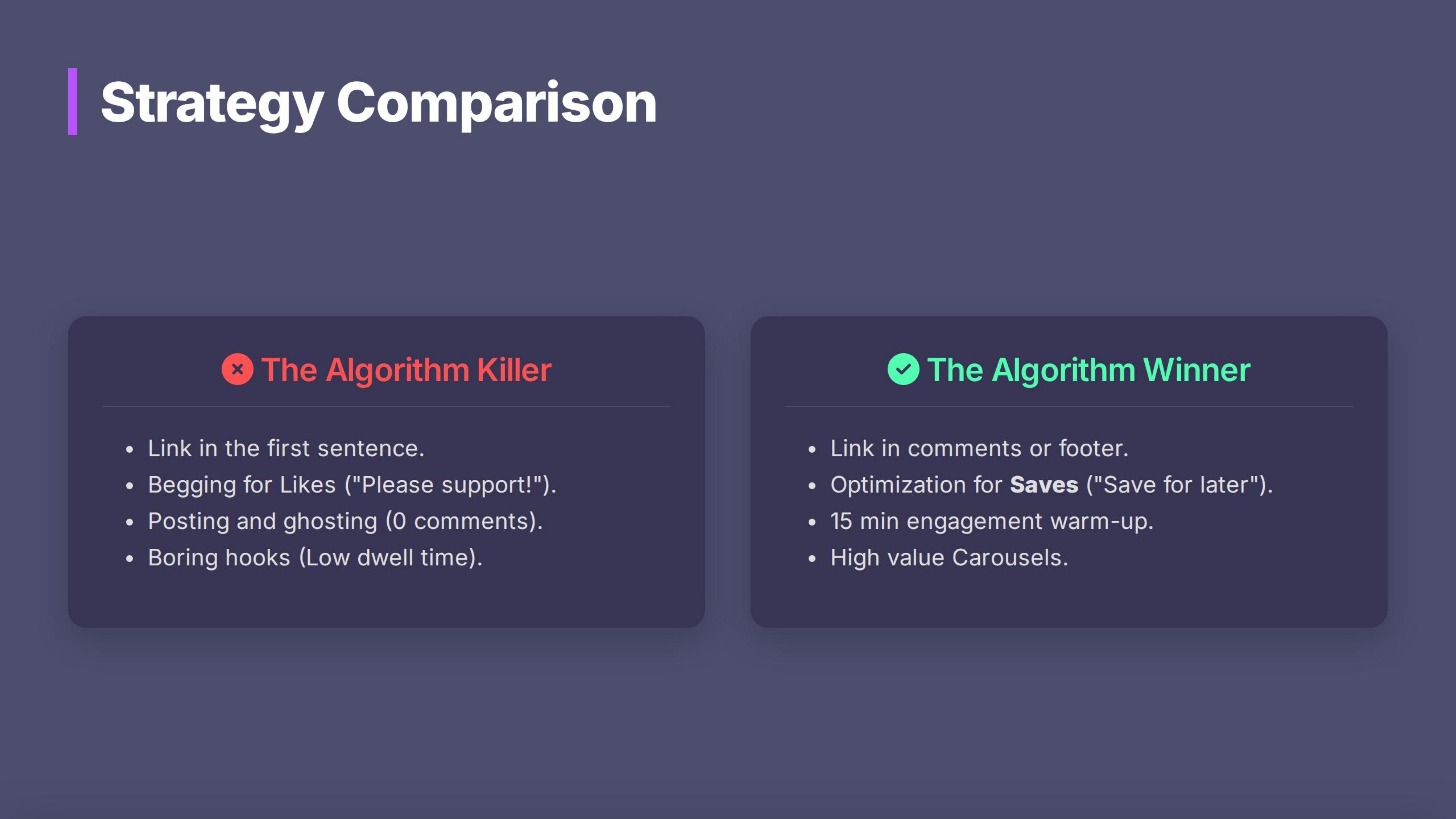
| ❌ The Algorithm Killer | ✅ The Algorithm Winner |
|---|---|
| Link Strategy: Putting a YouTube link in the very first sentence. | Link Strategy: Delivering value in the text/carousel first, then placing the link at the very bottom. |
| Engagement Goal: "Please like this post!" | Engagement Goal: "Save this for your next strategy session." (Encourages Bookmarks). |
| Result: Immediate penalty. 50 Impressions. | Result: High Dwell Time + Saves = Viral Distribution. 5,000 Impressions. |
The CreatorHub Advantage
1. Analytics AI Chat (The Post-Mortem):
Don't guess why a post failed. Ask the data.
- Action: Open Advanced Analytics.
- Prompt: *"Which of my posts had the highest 'Save' count last month? What was the topic?"*
- Insight: You might find that your "How-to" guides get saved 5x more than your opinion pieces. Do more guides.
2. Best Time to Post:
When is *your* audience online?
- Action: Use the Best Time to Post feature in CreatorHub. It analyzes your specific audience data to predict when you should post to maximize that critical "Golden Hour."
Actionable Steps (Homework)
Optimize for "Saves"
- Create a post this week that is a "Reference Guide" (e.g., a checklist or a list of tools). Explicitly ask people to
- "Save this for later"
- in the CTA.
The 15-Minute Warm-Up
- Before you post, spend 15 minutes engaging with the
- Smart Engagement (VIP Lane)
- feed. It alerts the network that you are active.
Optimize for "See More"
Write your posts so the first 3 lines are intriguing, forcing the user to click "See More" to read the rest.
Use 3-5 Hashtags
Place them at the very bottom of the post.